 Nexviora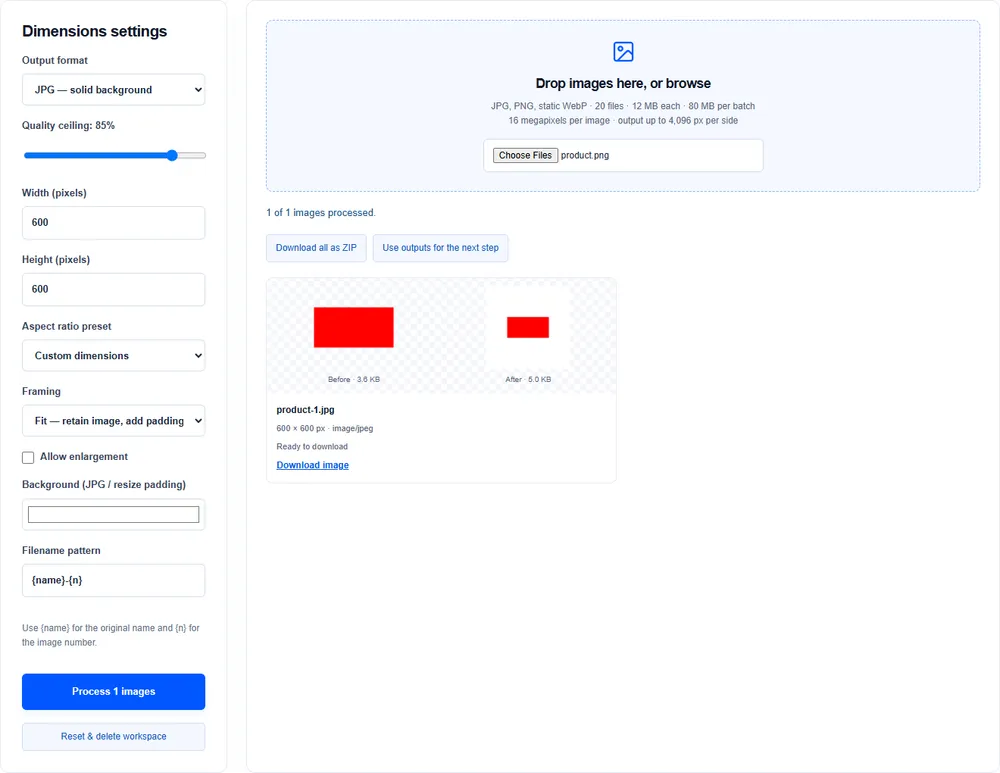
Choose a canvas
Start with dimensions required by your store. For example, use a 1,200 × 1,200 canvas for square product cards if your store accepts that size.
Choose fit or crop intentionally
Fit keeps the whole product and adds padding. Crop fills the frame but can cut off the product. Check margins and framing in the preview.
Avoid unnecessary enlargement
Upscaling does not restore detail. Keep enlargement disabled for smaller inputs unless an exact output canvas is required; fit can place the original inside that canvas.
Name and compress consistently
Use a filename pattern such as product-{n}. Export a ZIP for the batch. Try compression after resizing, then inspect a sample before replacing catalog images.